Practice Your Burn
Before You Burn the Wood.
Upload a design, generate one with AI, or start with a blank board. Burn it digitally with a virtual pyrography pen — then print it at the exact size for the real thing.
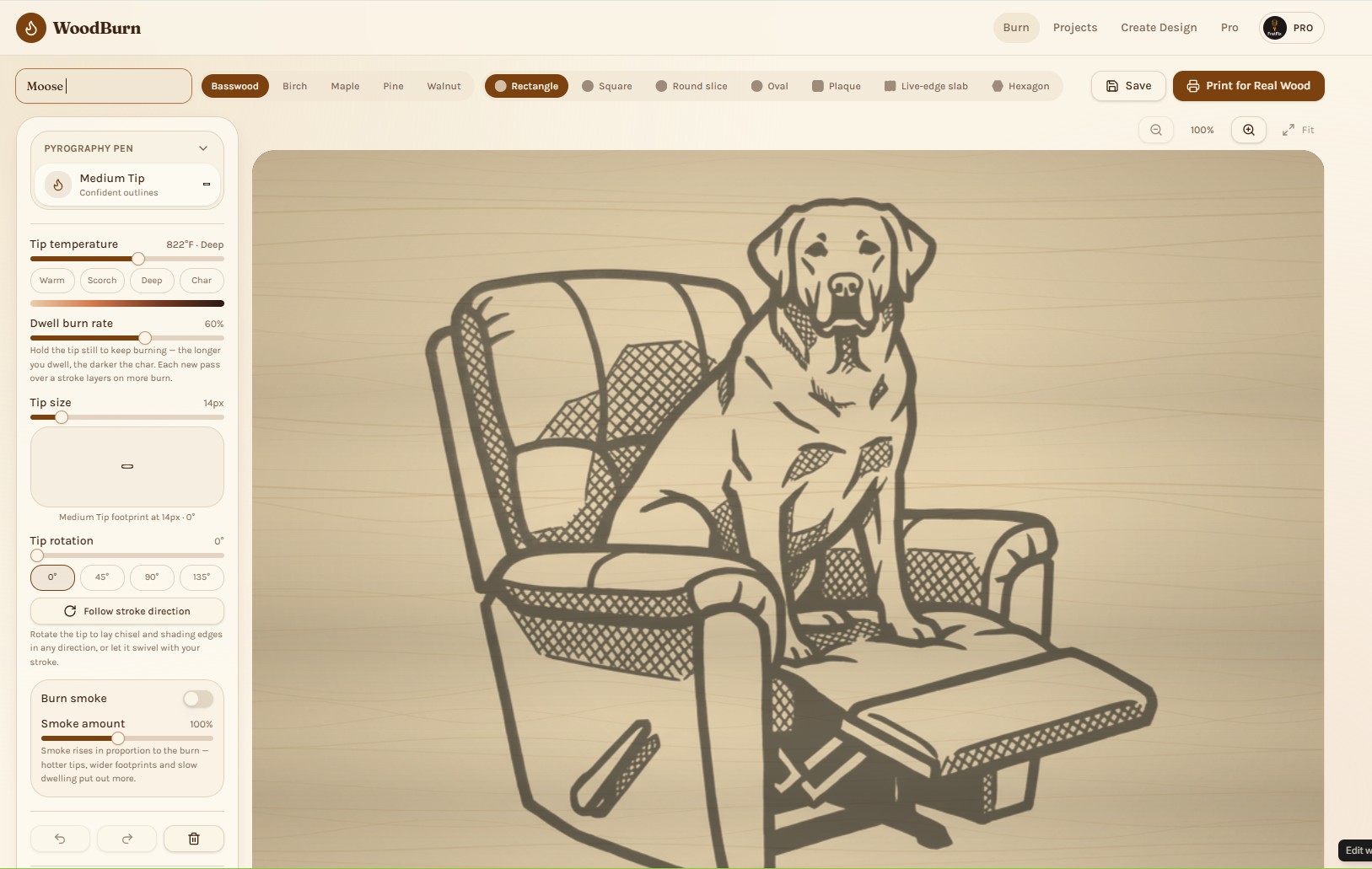
A finished design burned into virtual Basswood in the WoodBurn studio.
WoodBurn.app is the web’s only purpose-built digital pyrography studio.
General drawing apps can sketch a design; none of them simulate the craft. WoodBurn models tip temperature, dwell time, stylus pressure and layered passes on real wood grain — then hands you a print-ready transfer at exact physical size. It is built for pyrographers, and nothing else.
- 13
- pyrography tips, from fine point to spoon shader
- 20
- ready-to-burn stencil templates
- 5
- wood species with procedural grain
- 7
- board shapes, plus true-to-size transfer PDFs
Practice a design as many times as you like on virtual wood before committing heat to a real board.
Turn a photo into a finished pyrography piece.
Photo Burn renders your image the way a pyrographer would burn it — tonal shading, controlled line work and clean highlights — laid directly onto WoodBurn’s basswood board. Use it as a finished render or bring it into the studio to keep working.
Upload any photo
A pet, portrait, cabin or landscape
Pick a burn depth
Light, medium or deep scorch
Rendered on real basswood
Burn marks composited on the studio board
Save as PDF or project
Print it or keep burning in the studio
2 free renders without an account.
Learn wood burning with a built-in lesson kit.
The WoodBurn Beginner Lesson Kit teaches every essential technique — heat, pressure, line control, shading, texture and depth — then gives you a practice board to burn in the studio and a printable template for real wood.
12 guided lessons
From first plug-in to finished project
7 skill levels
Burner control, lines, shading, texture & depth
Digital practice boards
Burn each exercise in the studio, then print it
8 achievements
Track progress and earn badges as you improve
Burn digitally
Fine, medium, shading and ball tips on realistic grain.
Trace a reference
Fade any design over the wood and trace it stroke by stroke.
Print to transfer
Exact inches, faint transfer opacity, tiled PDFs.